
Zumi's Linux Notes
mmmm I love NixOS it destroyed my free time
Zumi's Recommendation to Linux distros
Ubuntu
Avoid at all costs.
Snap will destroy your happiness. Canonical doesn't love you.
Linux Mint
Good if you have slightly older hardware, or if you are giving your machine to tech-unsavvy people.
Mint is a super friendly, fairly lightweight distro. It uses Cinnamon as an in-house made desktop, that is fairly customizable but also fairly Windows-user friendly.
Mint excels at being friendly, both at set up and during use: it tries to detect hardware and drivers automatically, it sets up backup and such with some prompts, it installs reasonable tools by default. Updating Mint is fairly well-tested so you typically won't break your machine doing so.
However Mint is based on Debian which is like older than old, so if you have new hardware, avoid Mint, as going off of its simple path leads you to dragons.
Also Cinnamon is X11 at the moment so if you want that Wayland sauce don't.
Fedora
Recommended, please look at RPM Fusion right away. Please pick KDE edition.
Fedora uses latest kernels even though their packaging is still release-based, so they're good for new hardware. OOTB experience can be a bit wonky on Nvidia as they don't have Nvidia drivers on their default repos, so you need to add RPM Fusion, but it's quite straightforward after.
KDE Plasma is the much better version as it has much more customization and KDE people are generally much friendlier and open to evolve their desktop than Gnome.
One downside is that Fedora has SELinux (a kernel security feature) enabled, which might give you some trouble sometimes that you wouldn't really see in another distro. Fedora people would jump in and help you though.
Fedora installer is also super friendly, will help you with secure boot, disk partitioning (even setting up BTRFS sub-volumes with snapshots etc.)
I have no experience with other spins of Fedora though.
Arch Linux
Recommended if you wanna go the long route to Linux
Very, very, very minimal installer. Prepare to look at the Wiki a lot to find what you want. Incidentally, the best wiki to exist on the planet. I look at the Arch Wiki even when working with NixOS.
Basically gives you nothing at the beginning so you are free to build your own desktop (or use one of the pre-grouped desktop packages like plasma-group for KDE Plasma).
Has a huge gamer and nerd userbase (Steam Deck is based on Arch Linux) so might be your best bet to gaming, if you are willing to go through the hard part of actually getting it running.
The installer is fully terminal-based, so I would recommend actually getting an ISO of an Arch-based distro (e.g. EndavourOS) with a desktop environemnt, skip their installer, open a terminal and a web browser (pointing to Komimau discord and the Arch Wiki) and get working from there. You'll also get a GUI disk partition tool (gparted) that way, so you don't accidentally blow up your data.
Secure boot and such might be a bit painful to set up if you don't know what you're doing. If wanted, DM zumi for some help.
NixOS Notes
My config lives in this repo. I share config between:
- My home PC
- My Framework 13 Laptop
- My work laptop (A ThinkPad Yoga)
- My VPS
There's a private repo in there to store some secrets, so directly building the configuration will not work. This is not the best way to do it though, as Nix will store that repo world-readable on all machines that could build the configurations. This is partially why I don't run CI builds on these. A much better approach is to use sops-nix, which allows you to commit an encrypted YAML tree of secrets and selectively decrypt it at boot time, based on the machine's private SSH keys. I also use it in my setup for per-machine secrets, but haven't been motivated enough to move the shared secrets over.
Desktop set up
At the moment: Niri (with Flake) and DankMaterialShell.
I run a fairly straight forward, vanilla set up of the two, with some slightly wonky keybindings to fit my old i3/sway habits.
Configuration can be found in the my-niri directory in my Nix repo.
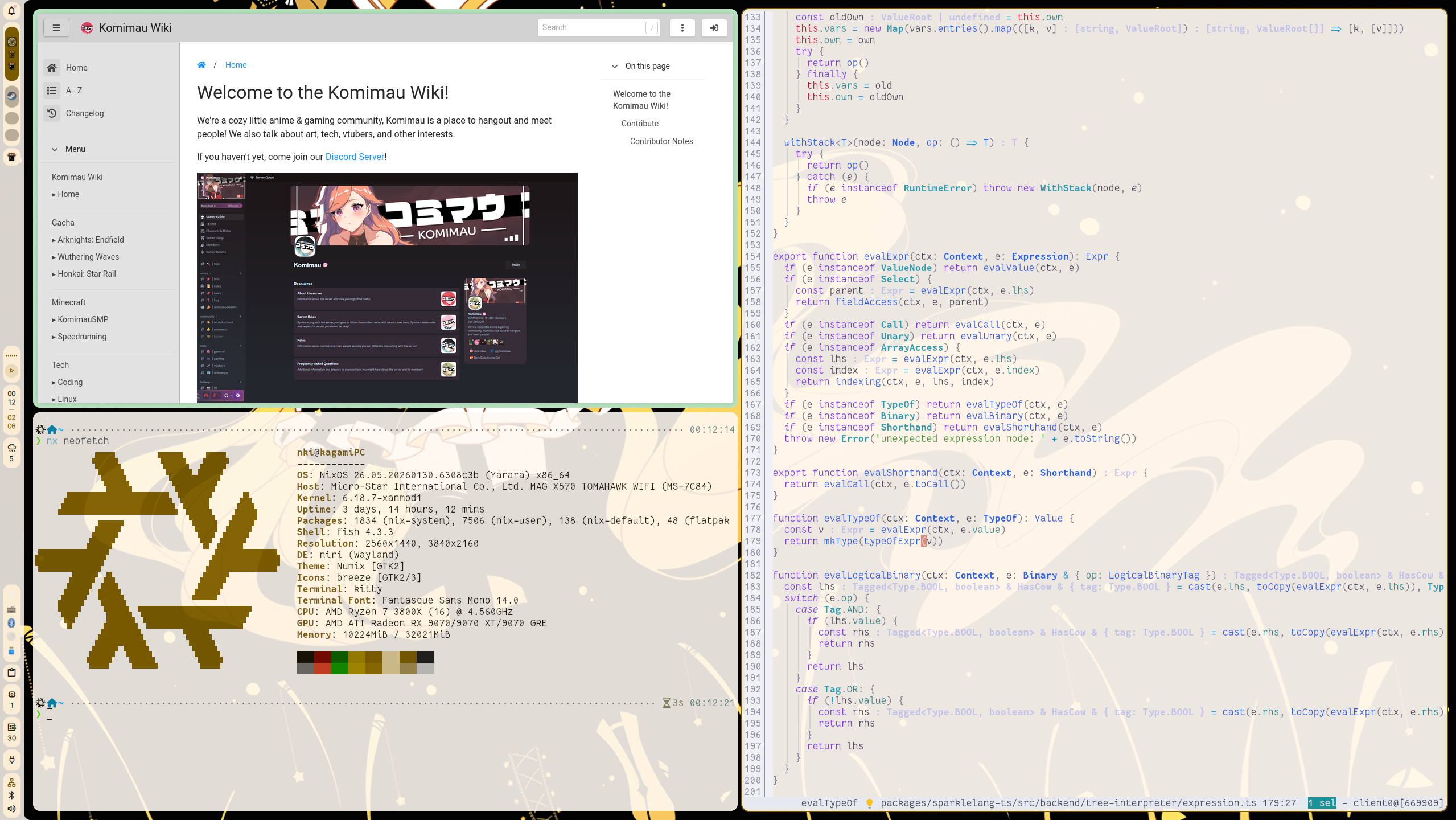
Editor
I use kakoune, a fairly niche editor with Vim-inspired (but very different) keybinding model. Personally I recommend helix for people who wants to try a similar style of editor, as it is considerably OOTB-friendly.
My set up is both simple and complicated so cannot describe much here. That said, as I also use Arch Linux sometimes, I packaged all my configuration into a Nix package that you can directly get and use (if you have Nix). Try it out by
nix run git+https://git.dtth.ch/nki/nix-home#nki-kakoune
This of course gets updated every time I change any of the configurations on my NixOS machine.
I also use VS Code from time to time, on there I use Dance as a Kakoune-ish keybinding simulator.